Home page
Introduce your brand or a launch.
New this week
Contextual videos for Shopify
Show demonstrations, details, and stories close to the buying decision. Choose where each video appears, style the player, and understand engagement without editing theme code.
Opens in the Shopify App Store · plans from US$9/month · 14-day free trial
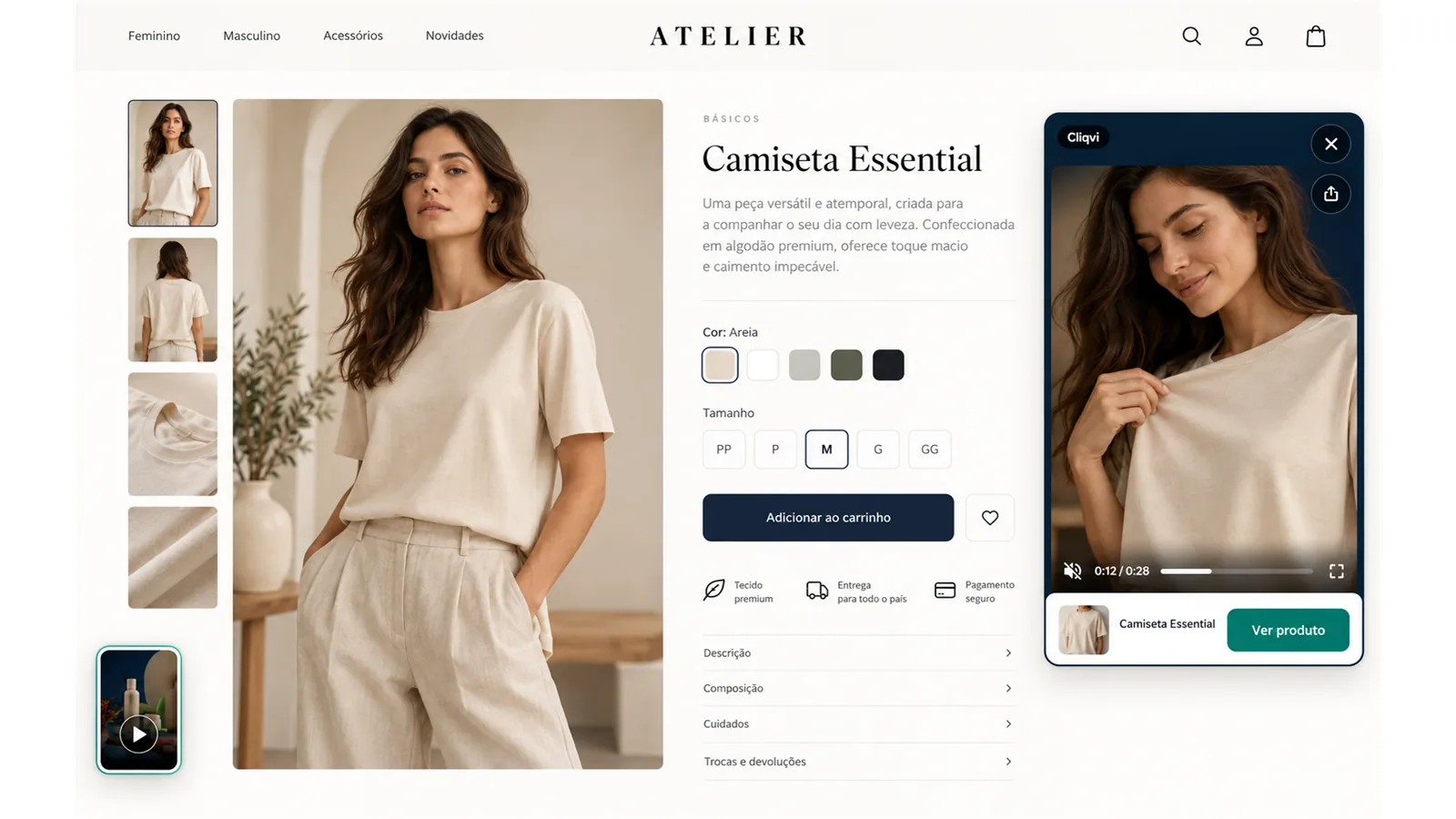
Real product
From the first video to styling, every step happens inside Shopify admin and makes the next action clear.
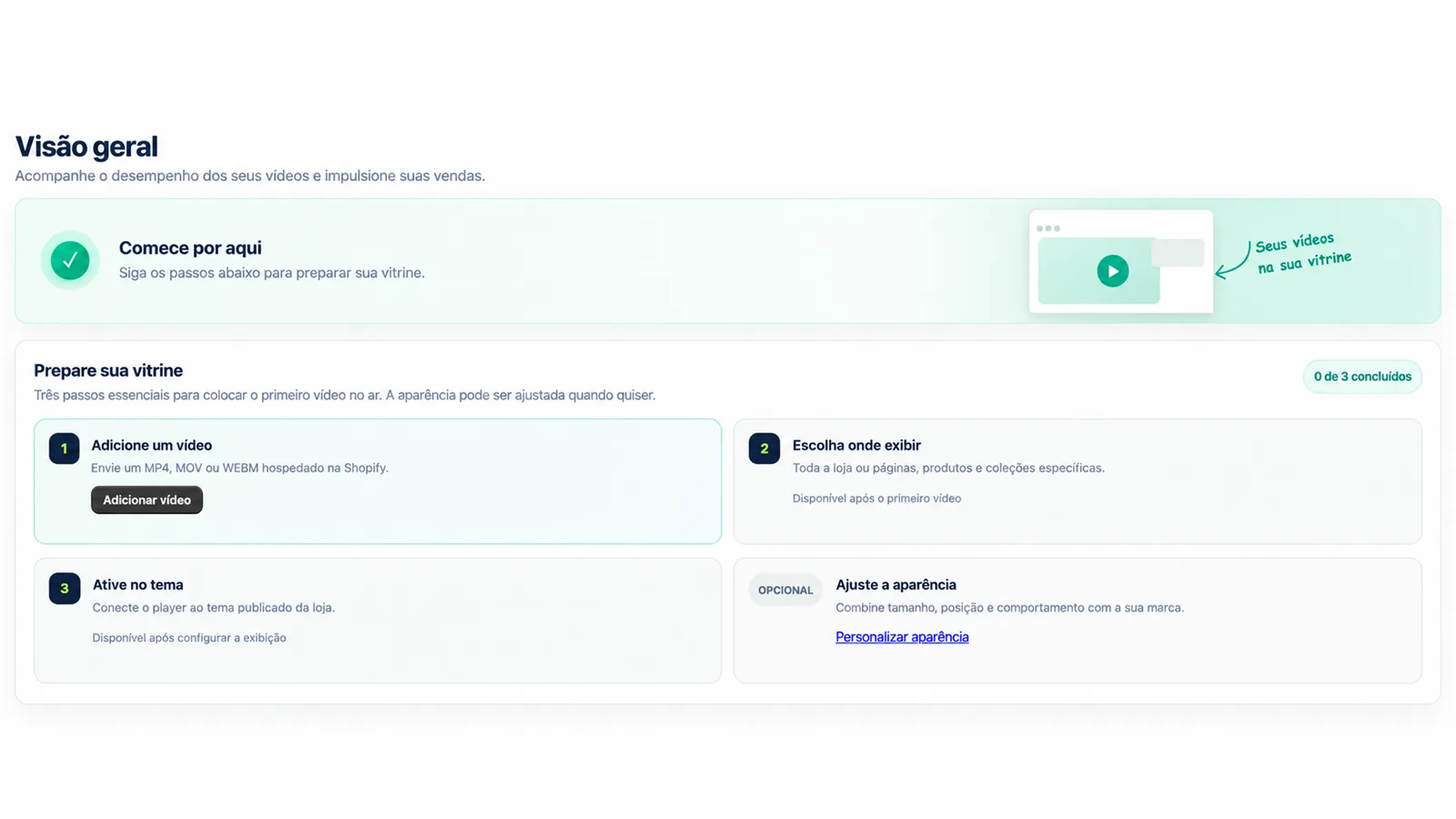
First-time setup guides upload, placement, and theme activation.
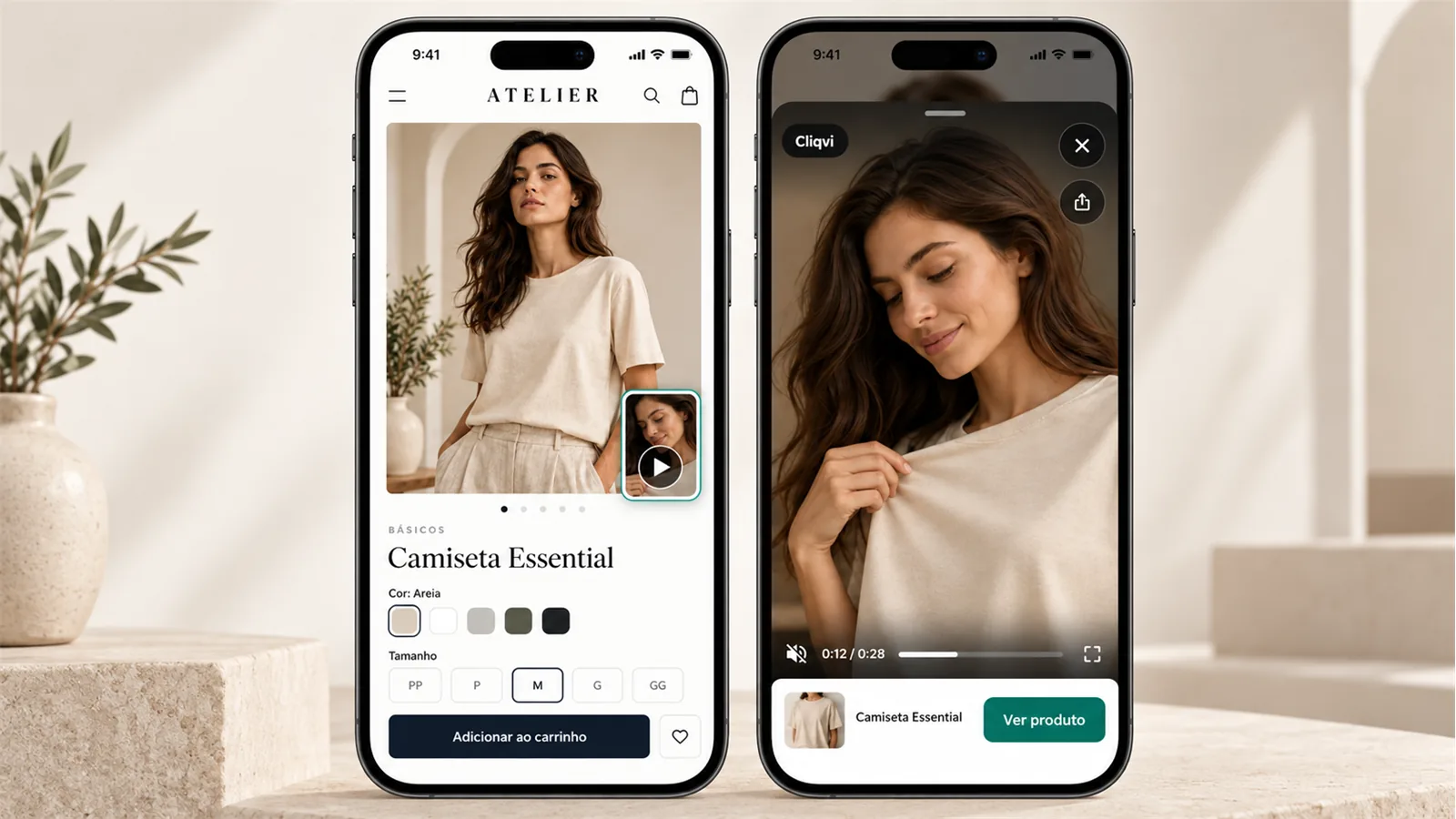
On the storefront
The same content adapts to desktop and mobile with a clear call to action and considerate controls.
Context
Use one piece of content wherever it fits, or tell a different story in each part of the store.
Introduce your brand or a launch.
New this weekShow fit, texture, details, or use.
Product demonstrationGive context to a campaign or range.
Explore the collectionExplain care, origin, or instructions.
How to care for itPerformance
Follow every video without having to decode complicated reports.
See where interest starts, progresses, and becomes action.
Google Analytics 4
Connect your GA4 property to send essential events for each video while respecting analytics consent managed by Shopify.
Use each video identifier to analyze content and build audiences in GA4.
Designed for Shopify stores
Your videos remain hosted within your store infrastructure.
Settings and metrics stay isolated between stores.
No access to customers, orders, payments, or checkout.
Loads after primary content and respects data saving and reduced motion.
Choose your capacity
Both plans include every feature. Choose based on the number of active videos.
Billing and cancellation managed by ShopifyFAQ
The widget loads after primary content, uses optimized previews, and respects data saving. Final performance also depends on the theme and other apps.
The mobile experience is configurable and stops when the shopper moves to cart or checkout.
No. Configure Cliqvi in the app and confirm the App Embed in Shopify's theme editor.
Yes. Target products, collections, pages, or the entire store.
In Shopify Files. Cliqvi stores only the references needed to operate.
The app does not request access to customers, orders, payments, or checkout.
Essential supports up to 10 active videos and Pro up to 50. Both include a 14-day free trial. Shopify manages billing. Uninstalling cancels renewal; an approved period may remain until Shopify's displayed date.
Player controls can follow the storefront language across 36 options. Your call-to-action remains exactly as written.
Contact [email protected]. We normally reply within 2 business days.
Cliqvi
Bring the videos you already create to the right places in your store and learn which content earns attention.
Try free for 14 days